How Extended Reality Can Save Employee Onboarding

How Extended Reality Can Save Employee Onboarding

Purpose:

Exercise focusing on Extended Reality User Experience

Date and Duration:

February 2023, 6 weeks

Tools:

Figma, Rhinoceros, ShapesXR, KeyShot, Adobe Suite

Hardware:

Meta Quest 2

Team:

Instructional Designer, Ena Devedzija UX/XR Designer, Igor Popovic

This project was an exercise in rethinking of the traditional training process and creating a more engaging and effective experience. 3D printing is a revolutionary and complex industry. It can be intimidating to anyone new to the field. As this field is inherently three-dimensional, it seems rather impractical to try and teach it using a two-dimensional approach. Since this project had an element of training, I teamed up with an instructional designer to draw on her pedagogical knowledge to develop an even more effective training process.

Purpose:

Exercise focusing on Extended Reality User Experience

Date and Duration:

February 2023, 6 weeks

Tools:

Figma, Rhinoceros, ShapesXR, KeyShot, Adobe Suite

Hardware:

Meta Quest 2

Team:

Instructional Designer, Ena Devedzija UX/XR Designer, Igor Popovic

This project was an exercise in rethinking of the traditional training process and creating a more engaging and effective experience. 3D printing is a revolutionary and complex industry. It can be intimidating to anyone new to the field. As this field is inherently three-dimensional, it seems rather impractical to try and teach it using a two-dimensional approach. Since this project had an element of training, I teamed up with an instructional designer to draw on her pedagogical knowledge to develop an even more effective training process.

Summary

VR is a powerful teaching tool and with recent technological advances it is fast becoming a strong contender when it comes to training. With the help of the instructional designer we created a training solution that is engaging and easier to understand than traditional learning methods. 1. Using gamification to engage audiences by: - Providing a pleasant environment that draws the user in and evokes curiosity and playfulness. - Creating interactive and game like training modules that put the user in control. - Concluding with an interactive assessment that is fun and visually appealing. 2. Information is presented in clearer and more detailed formats: - Interactive 3D models of printer hardware and components. - 3D animations explaining various functions and tasks. - Finally, this training product is economical as it is repeatable and scales well to cover any size of organization.

Summary

VR is a powerful teaching tool and with recent technological advances it is fast becoming a strong contender when it comes to training. With the help of the instructional designer we created a training solution that is engaging and easier to understand than traditional learning methods. 1. Using gamification to engage audiences by: - Providing a pleasant environment that draws the user in and evokes curiosity and playfulness. - Creating interactive and game like training modules that put the user in control. - Concluding with an interactive assessment that is fun and visually appealing. 2. Information is presented in clearer and more detailed formats: - Interactive 3D models of printer hardware and components. - 3D animations explaining various functions and tasks. - Finally, this training product is economical as it is repeatable and scales well to cover any size of organization.

Summary

VR is a powerful teaching tool and with recent technological advances it is fast becoming a strong contender when it comes to training. With the help of the instructional designer we created a training solution that is engaging and easier to understand than traditional learning methods. 1. Using gamification to engage audiences by: - Providing a pleasant environment that draws the user in and evokes curiosity and playfulness. - Creating interactive and game like training modules that put the user in control. - Concluding with an interactive assessment that is fun and visually appealing. 2. Information is presented in clearer and more detailed formats: - Interactive 3D models of printer hardware and components. - 3D animations explaining various functions and tasks. - Finally, this training product is economical as it is repeatable and scales well to cover any size of organization.

Problem Statement

Companies looking to train new employees to operate sophisticated 3D printers require a training solution that is clear, consistent, engaging and replicable.

Problem Statement

Companies looking to train new employees to operate sophisticated 3D printers require a training solution that is clear, consistent, engaging and replicable.

Problem Statement

Companies looking to train new employees to operate sophisticated 3D printers require a training solution that is clear, consistent, engaging and replicable.

What’s our product or service?

VR training for new 3D printer users, helping them operate and maintain their equipment.

What user problem are we solving?

Outdated training processes are holding back progress. We want to create accessible onboarding, provide an interactive and more engaging experience resulting in a more effective learning tool.

What’s our end goal?

Provide an intuitive and stimulating VR training program teaching users how to setup a 3D printer, follow safety procedure guidelines, start printing, perform maintenance, and troubleshoot common printing issues.

What’s our product or service?

VR training for new 3D printer users, helping them operate and maintain their equipment.

What user problem are we solving?

Outdated training processes are holding back progress. We want to create accessible onboarding, provide an interactive and more engaging experience resulting in a more effective learning tool.

What’s our end goal?

Provide an intuitive and stimulating VR training program teaching users how to setup a 3D printer, follow safety procedure guidelines, start printing, perform maintenance, and troubleshoot common printing issues.

What’s our product or service?

VR training for new 3D printer users, helping them operate and maintain their equipment.

What user problem are we solving?

Outdated training processes are holding back progress. We want to create accessible onboarding, provide an interactive and more engaging experience resulting in a more effective learning tool.

What’s our end goal?

Provide an intuitive and stimulating VR training program teaching users how to setup a 3D printer, follow safety procedure guidelines, start printing, perform maintenance, and troubleshoot common printing issues.

The Solution

Virtual Reality is becoming an increasingly popular tool for training in a variety of fields, including medicine, aviation, military, and more. - A Safe and Controlled Environment: VR provides learners with an environment where they can practice and experiment without the risk of real-life consequences. - Realistic Scenarios: Virtual reality can create realistic scenarios that would be difficult or impossible to replicate in real life, such as extreme weather conditions or rare medical emergencies. - Cost-effective: Virtual reality training can be more cost-effective than traditional training methods. It eliminates the need for expensive equipment, travel costs, and physical infrastructure. - Consistency: Virtual reality ensures consistent training experiences across all learners, which can be challenging to achieve with traditional training methods. Every learner receives the same information and is exposed to the same scenarios, leading to more standardized results. - Engaging and Memorable: Virtual reality is a highly engaging and memorable form of training. It allows learners to interact with the content in a way that traditional methods cannot replicate. This increased engagement can lead to better retention and application of knowledge.

Discover

I’m omitting a few types of research here due to limited resources and the fact that this is an exercise. - If this project was for a larger organization I would include key stakeholder interviews to gather important insights into business requirements to better define the project scope. - Discovery of existing technologies and infrastructure within the organization - I would be drawing on the knowledge of any available SMEs. - User focus groups with qualified employees would be a great way to gain their perspective on the current onboarding methods. I would focus on mapping out the existing state of training and how it relates to the employees’ expected duties.

The Solution

Virtual Reality is becoming an increasingly popular tool for training in a variety of fields, including medicine, aviation, military, and more. - A Safe and Controlled Environment: VR provides learners with an environment where they can practice and experiment without the risk of real-life consequences. - Realistic Scenarios: Virtual reality can create realistic scenarios that would be difficult or impossible to replicate in real life, such as extreme weather conditions or rare medical emergencies. - Cost-effective: Virtual reality training can be more cost-effective than traditional training methods. It eliminates the need for expensive equipment, travel costs, and physical infrastructure. - Consistency: Virtual reality ensures consistent training experiences across all learners, which can be challenging to achieve with traditional training methods. Every learner receives the same information and is exposed to the same scenarios, leading to more standardized results. - Engaging and Memorable: Virtual reality is a highly engaging and memorable form of training. It allows learners to interact with the content in a way that traditional methods cannot replicate. This increased engagement can lead to better retention and application of knowledge.

Discover

I’m omitting a few types of research here due to limited resources and the fact that this is an exercise. - If this project was for a larger organization I would include key stakeholder interviews to gather important insights into business requirements to better define the project scope. - Discovery of existing technologies and infrastructure within the organization - I would be drawing on the knowledge of any available SMEs. - User focus groups with qualified employees would be a great way to gain their perspective on the current onboarding methods. I would focus on mapping out the existing state of training and how it relates to the employees’ expected duties.

Autoethnography and Secondary Research

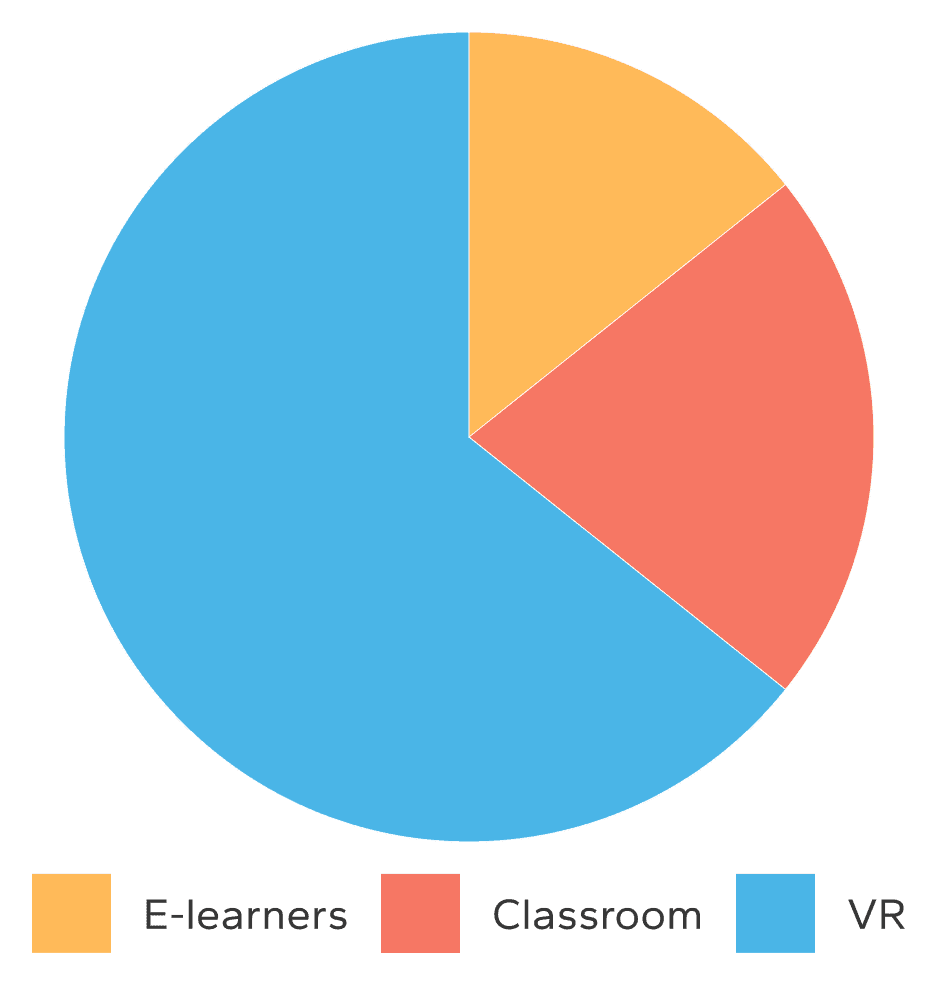
Due to my personal experience with additive manufacturing and VR, I had lots of qualitative research to develop my assumptions and theories. Whenever possible I like to balance my qualitative data with quantitative research. Internet searches quickly revealed just how powerful VR technology is and how closely it aligns with our inherent learning abilities. Numerous studies and research projects show remarkable data supporting the use of VR teaching tools in a wide variety of industries.

VR Learners were 4x faster at learning than in traditional classroom.

  • 275% more confident to apply skills learned after training.

  • 3.75x more emotionally connected to VR content.

  • 4x more focused than their e-learning peers.

References:

PWC Article

PWC Study

Autoethnography and Secondary Research

Due to my personal experience with additive manufacturing and VR, I had lots of qualitative research to develop my assumptions and theories. Whenever possible I like to balance my qualitative data with quantitative research. Internet searches quickly revealed just how powerful VR technology is and how closely it aligns with our inherent learning abilities. Numerous studies and research projects show remarkable data supporting the use of VR teaching tools in a wide variety of industries.

VR Learners were 4x faster at learning than in traditional classroom.

  • 275% more confident to apply skills learned after training.

  • 3.75x more emotionally connected to VR content.

  • 4x more focused than their e-learning peers.

References:

PWC Article

PWC Study

Autoethnography and Secondary Research

Due to my personal experience with additive manufacturing and VR, I had lots of qualitative research to develop my assumptions and theories. Whenever possible I like to balance my qualitative data with quantitative research. Internet searches quickly revealed just how powerful VR technology is and how closely it aligns with our inherent learning abilities. Numerous studies and research projects show remarkable data supporting the use of VR teaching tools in a wide variety of industries.

VR Learners were 4x faster at learning than in traditional classroom.

  • 275% more confident to apply skills learned after training.

  • 3.75x more emotionally connected to VR content.

  • 4x more focused than their e-learning peers.

References:

PWC Article

PWC Study

VR trained students showed a 250% improvement in their ability to accurately complete a safety procedure.

When compared with classroom training and e-learning modules, VR-based learners were significantly less distracted and took less time to get back on task. When learners are immersed in a virtual reality environment, they get more out of the training and have better outcomes.

VR trained students showed a 250% improvement in their ability to accurately complete a safety procedure.

When compared with classroom training and e-learning modules, VR-based learners were significantly less distracted and took less time to get back on task. When learners are immersed in a virtual reality environment, they get more out of the training and have better outcomes.

VR trained students showed a 250% improvement in their ability to accurately complete a safety procedure.

When compared with classroom training and e-learning modules, VR-based learners were significantly less distracted and took less time to get back on task. When learners are immersed in a virtual reality environment, they get more out of the training and have better outcomes.

Survey of technicians on a factory floor showed over 85% of respondents expressed that they preferred learning in VR as compared with traditional methods.

VR training is 83% less expensive and 50% faster than traditional in-person simulation.

Survey of technicians on a factory floor showed over 85% of respondents expressed that they preferred learning in VR as compared with traditional methods.

VR training is 83% less expensive and 50% faster than traditional in-person simulation.

Survey of technicians on a factory floor showed over 85% of respondents expressed that they preferred learning in VR as compared with traditional methods.

VR training is 83% less expensive and 50% faster than traditional in-person simulation.

Content Audit

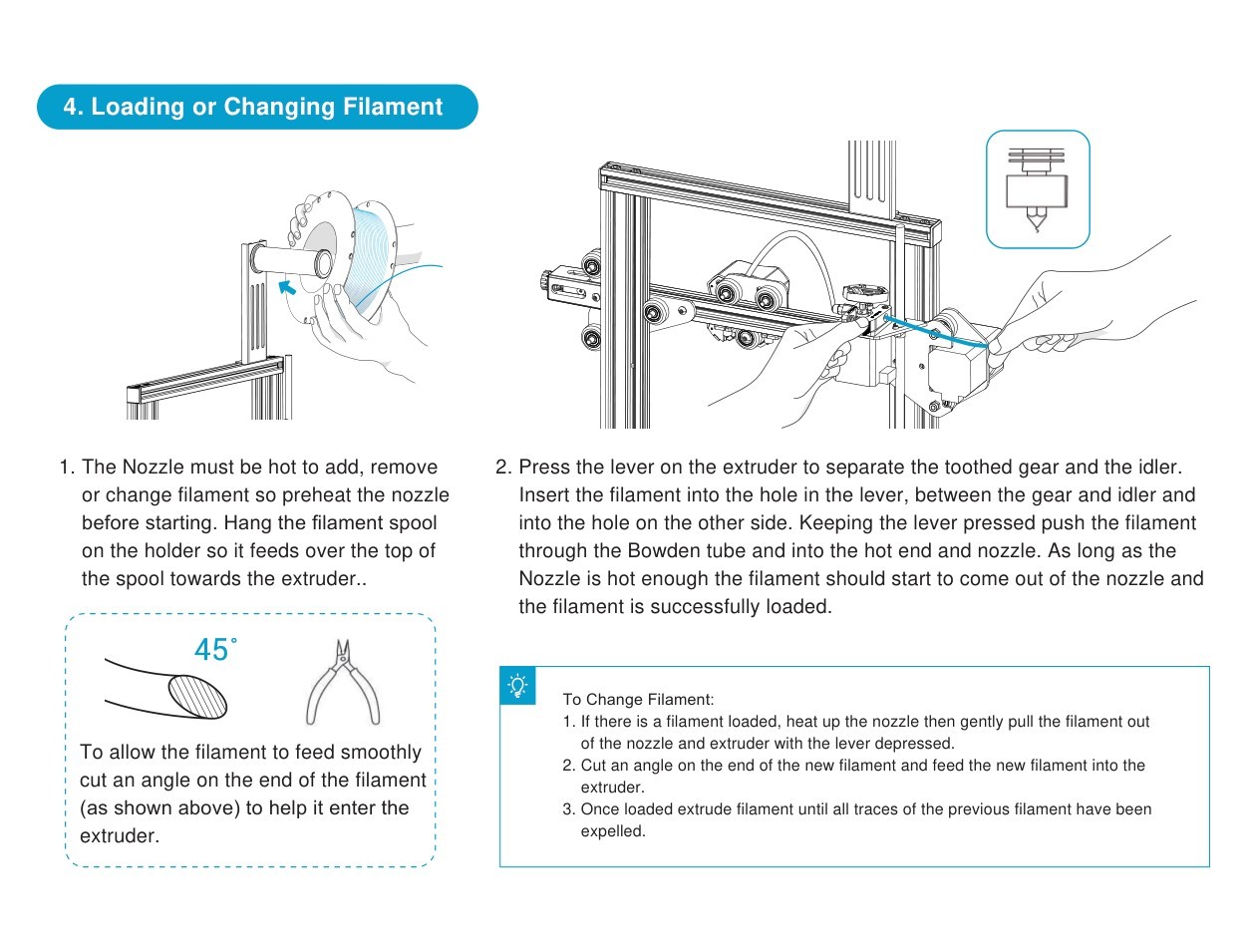
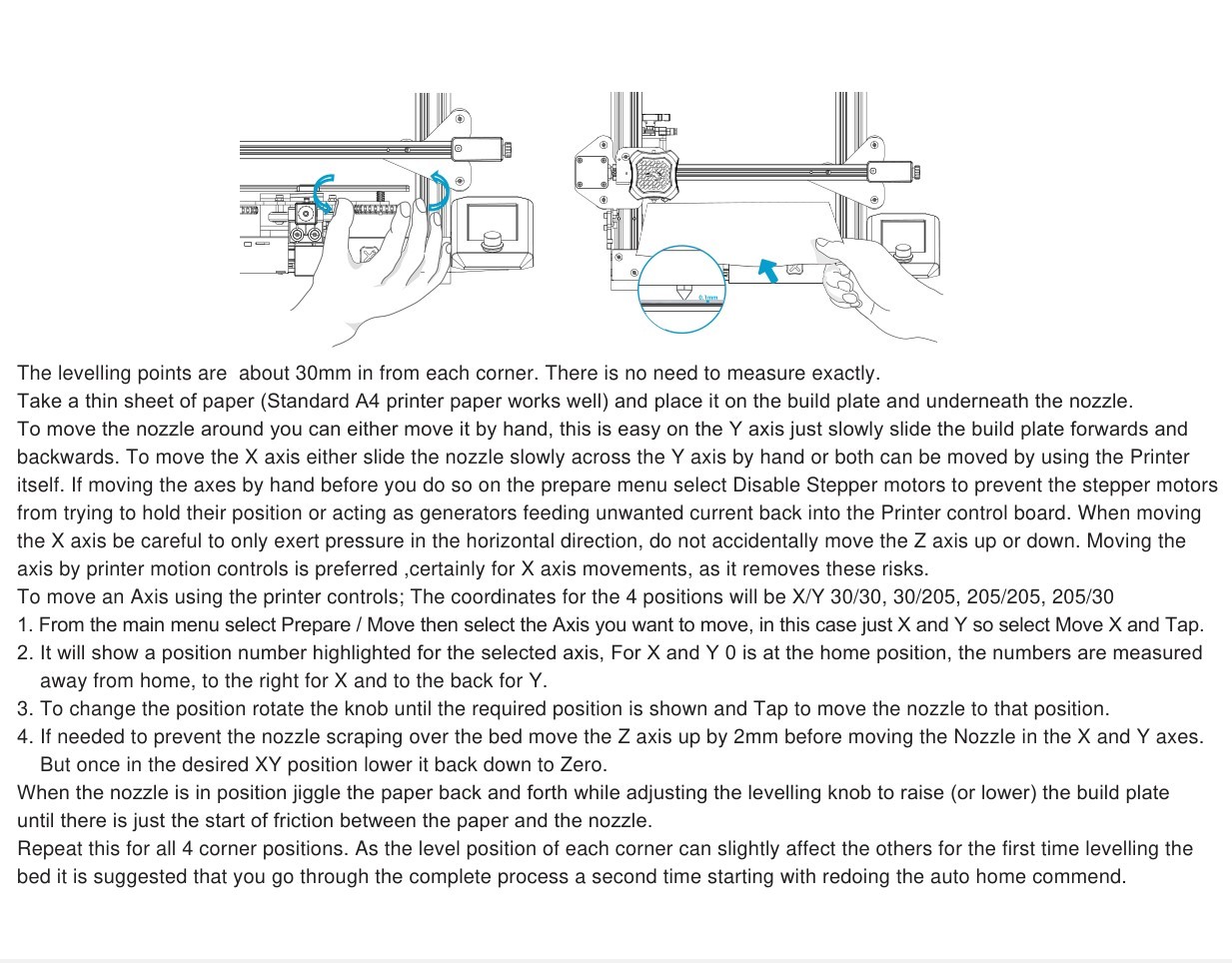
To create a more effective training program for 3D printing I had to understand what the current status quo is. I had to perform a content audit of the traditional user onboarding process. Reviewing documentation provided with typical 3D printers I quickly noticed a repeating issue when it comes to training new users. Low resolution graphics fail at conveying enough detail for the user to properly understand how to use, maintain and troubleshoot their 3D printer. See examples below. Due to the complexity of operating these devices - intricate parts combined with the necessary mechanical skills - simple 2-dimensional diagrams and truncated instructions are not enough. We must look to new learning technologies and pedagogies.

Content Audit

To create a more effective training program for 3D printing I had to understand what the current status quo is. I had to perform a content audit of the traditional user onboarding process. Reviewing documentation provided with typical 3D printers I quickly noticed a repeating issue when it comes to training new users. Low resolution graphics fail at conveying enough detail for the user to properly understand how to use, maintain and troubleshoot their 3D printer. See examples below. Due to the complexity of operating these devices - intricate parts combined with the necessary mechanical skills - simple 2-dimensional diagrams and truncated instructions are not enough. We must look to new learning technologies and pedagogies.
Mayer’s 12 Principles of Multimedia Learning

Mayer’s principles of multimedia learning provide some great guidance and sheds light on what contributes to effective training material. Using the following principles we can start to understand and pinpoint some of the causes of low retention and reduced engagement in the typical 3D printer user’s manuals.

Mayer’s 12 Principles of Multimedia Learning

Mayer’s principles of multimedia learning provide some great guidance and sheds light on what contributes to effective training material. Using the following principles we can start to understand and pinpoint some of the causes of low retention and reduced engagement in the typical 3D printer user’s manuals.

Mayer’s 12 Principles of Multimedia Learning

Mayer’s principles of multimedia learning provide some great guidance and sheds light on what contributes to effective training material. Using the following principles we can start to understand and pinpoint some of the causes of low retention and reduced engagement in the typical 3D printer user’s manuals.

Contiguity Principle
Signalling Principle
Temporal Contiguity Principle
Multimedia Principle
Contiguity Principle
Signalling Principle
Temporal Contiguity Principle
Multimedia Principle
Contiguity Principle
Signalling Principle
Temporal Contiguity Principle
Multimedia Principle
Task Analysis - Existing

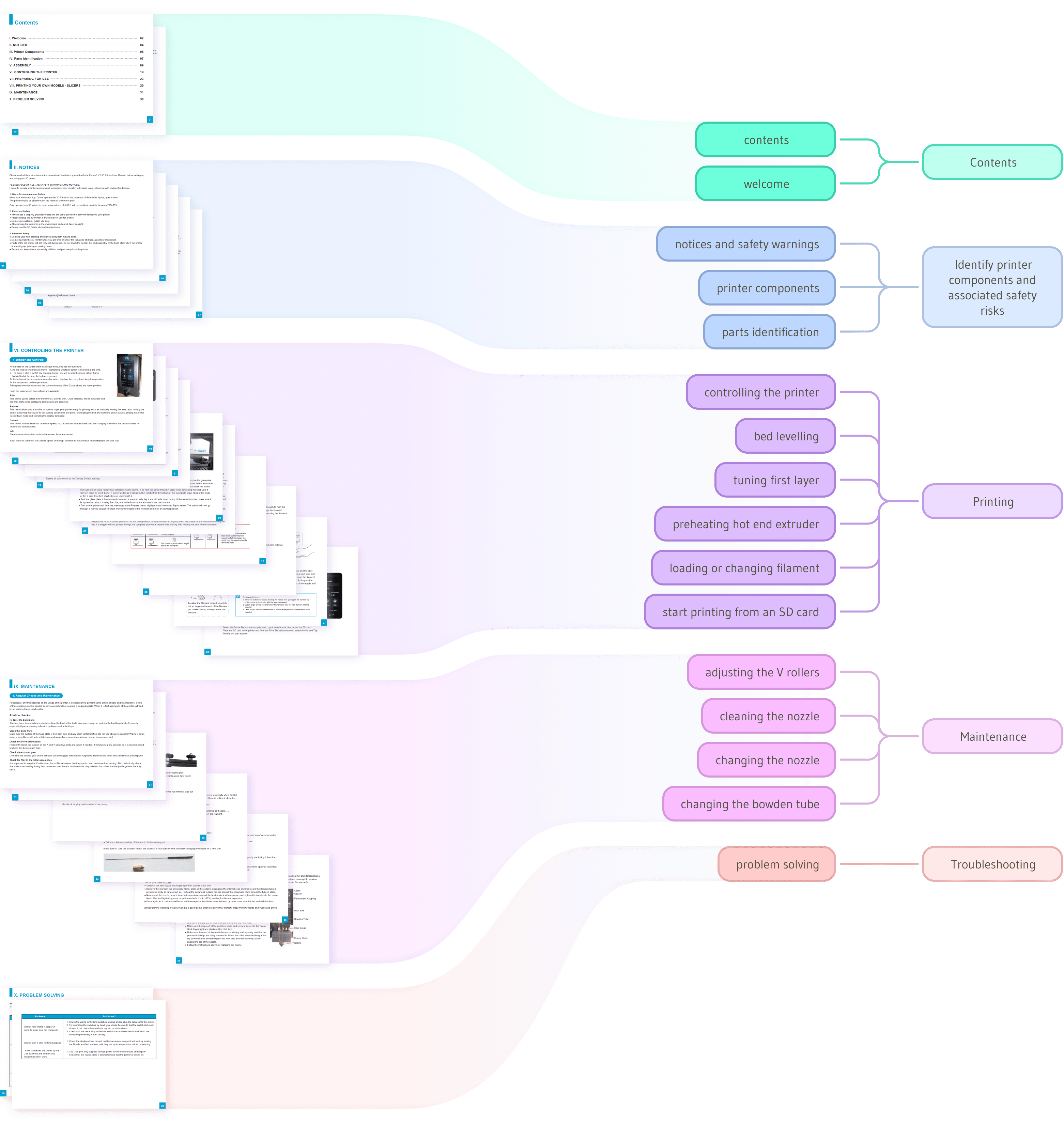
During my content audit I realized that the content and structure of a typical 3D printer user’s manual provided me with a good foundation. I created the task map below and moved forward with transforming a plain 2D manual into what will become an interactive and enveloping experience.
Task Analysis - Existing

During my content audit I realized that the content and structure of a typical 3D printer user’s manual provided me with a good foundation. I created the task map below and moved forward with transforming a plain 2D manual into what will become an interactive and enveloping experience.

Task Analysis - Proposed

After thorough exploration of the essential tasks and careful consideration of the new training medium, I developed the following list of tasks. Major changes are located at the start and end of the process. First the user is briefed on their upcoming VR journey so they know what to expect and how to get the most out of the training. To successfully complete the program they are tested on their newly acquired knowledge to ensure that training was effective.

Task Analysis - Proposed

After thorough exploration of the essential tasks and careful consideration of the new training medium, I developed the following list of tasks. Major changes are located at the start and end of the process. First the user is briefed on their upcoming VR journey so they know what to expect and how to get the most out of the training. To successfully complete the program they are tested on their newly acquired knowledge to ensure that training was effective.

Learning Outcomes

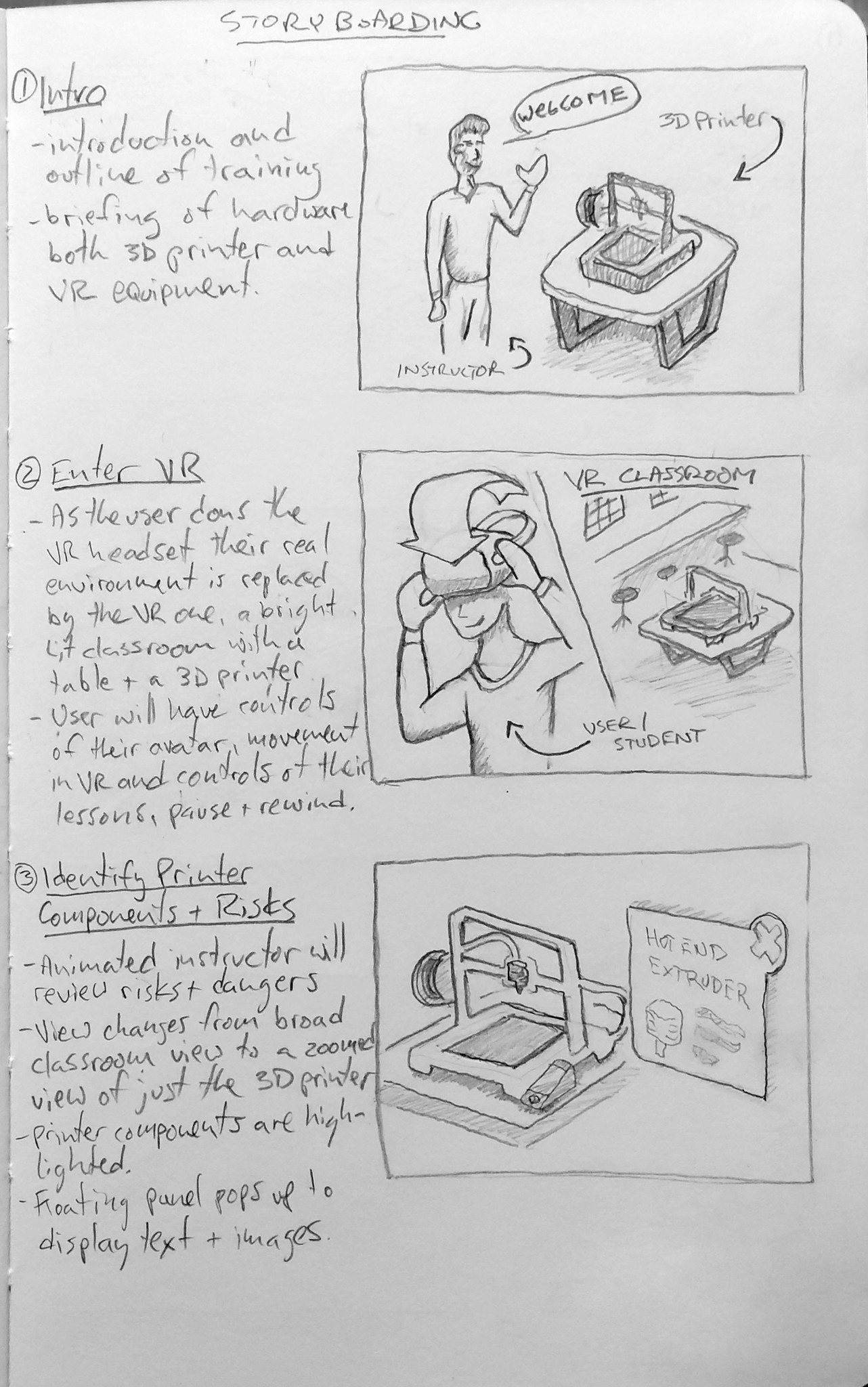
After completing this VR training, users will be able to; - Recognize printer components and associated safety risks. - Set up and finetune a 3D printer. - Determine and resolve common 3D printer issues. - Identify the steps necessary to print a simple 3D model.
Learning Outcomes

After completing this VR training, users will be able to; - Recognize printer components and associated safety risks. - Set up and finetune a 3D printer. - Determine and resolve common 3D printer issues. - Identify the steps necessary to print a simple 3D model.
Learning Outcomes

After completing this VR training, users will be able to; - Recognize printer components and associated safety risks. - Set up and finetune a 3D printer. - Determine and resolve common 3D printer issues. - Identify the steps necessary to print a simple 3D model.
User Journey Mapping

Under ideal conditions, user interviews would be done ahead of time to discover pains and gains, frustrations, and feelings relating to traditional training methods. However due to time and budget restrictions I will make some assumptions about our users as per my own experiences with training for 3D printing.

User Journey Mapping

Under ideal conditions, user interviews would be done ahead of time to discover pains and gains, frustrations, and feelings relating to traditional training methods. However due to time and budget restrictions I will make some assumptions about our users as per my own experiences with training for 3D printing.

User Journey Mapping

Under ideal conditions, user interviews would be done ahead of time to discover pains and gains, frustrations, and feelings relating to traditional training methods. However due to time and budget restrictions I will make some assumptions about our users as per my own experiences with training for 3D printing.

Introduction to Training
VR Experience Starts
Identifying Printer Components and Associated Safety Risks
Printing
Maintenance
Troubleshooting
Assessment
Wrap-up
Introduction to Training
VR Experience Starts
Identifying Printer Components and Associated Safety Risks
Printing
Maintenance
Troubleshooting
Assessment
Wrap-up
Introduction to Training
VR Experience Starts
Identifying Printer Components and Associated Safety Risks
Printing
Maintenance
Troubleshooting
Assessment
Wrap-up

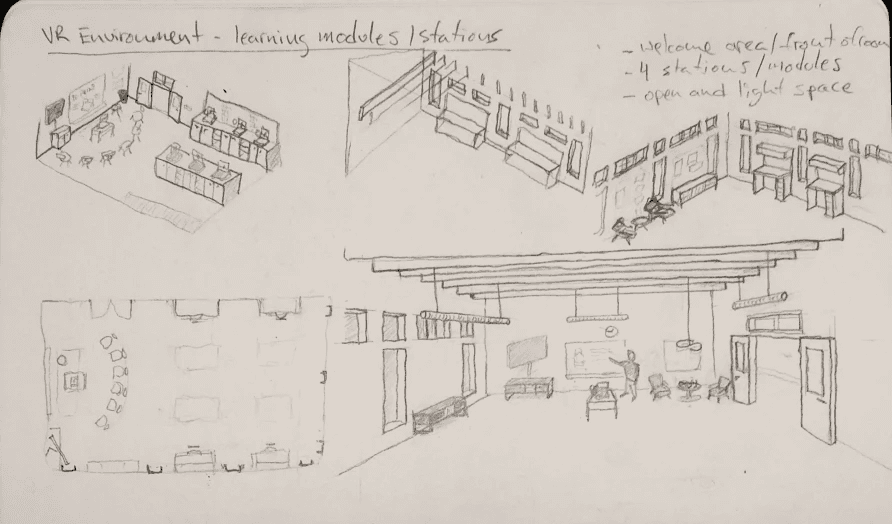
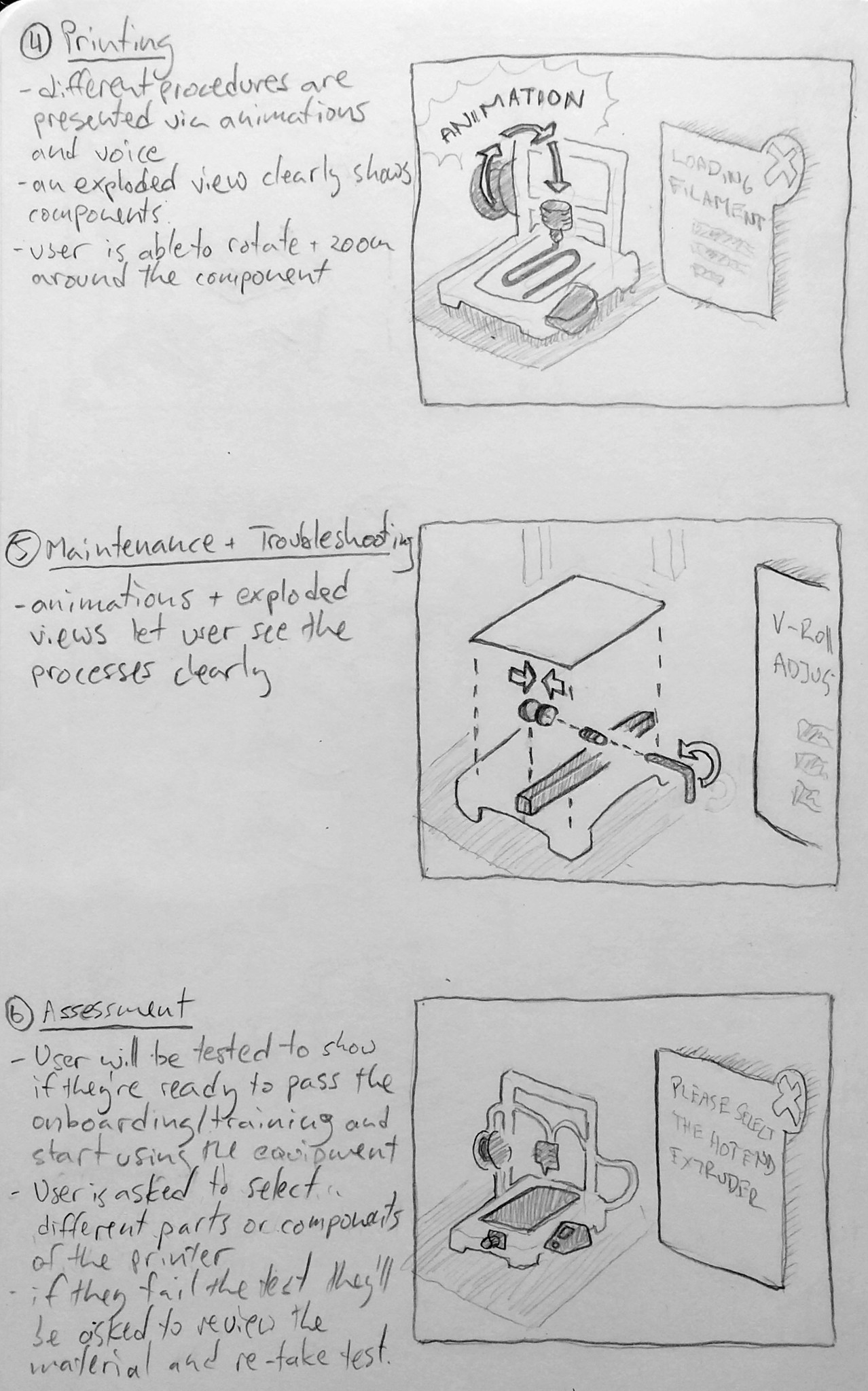
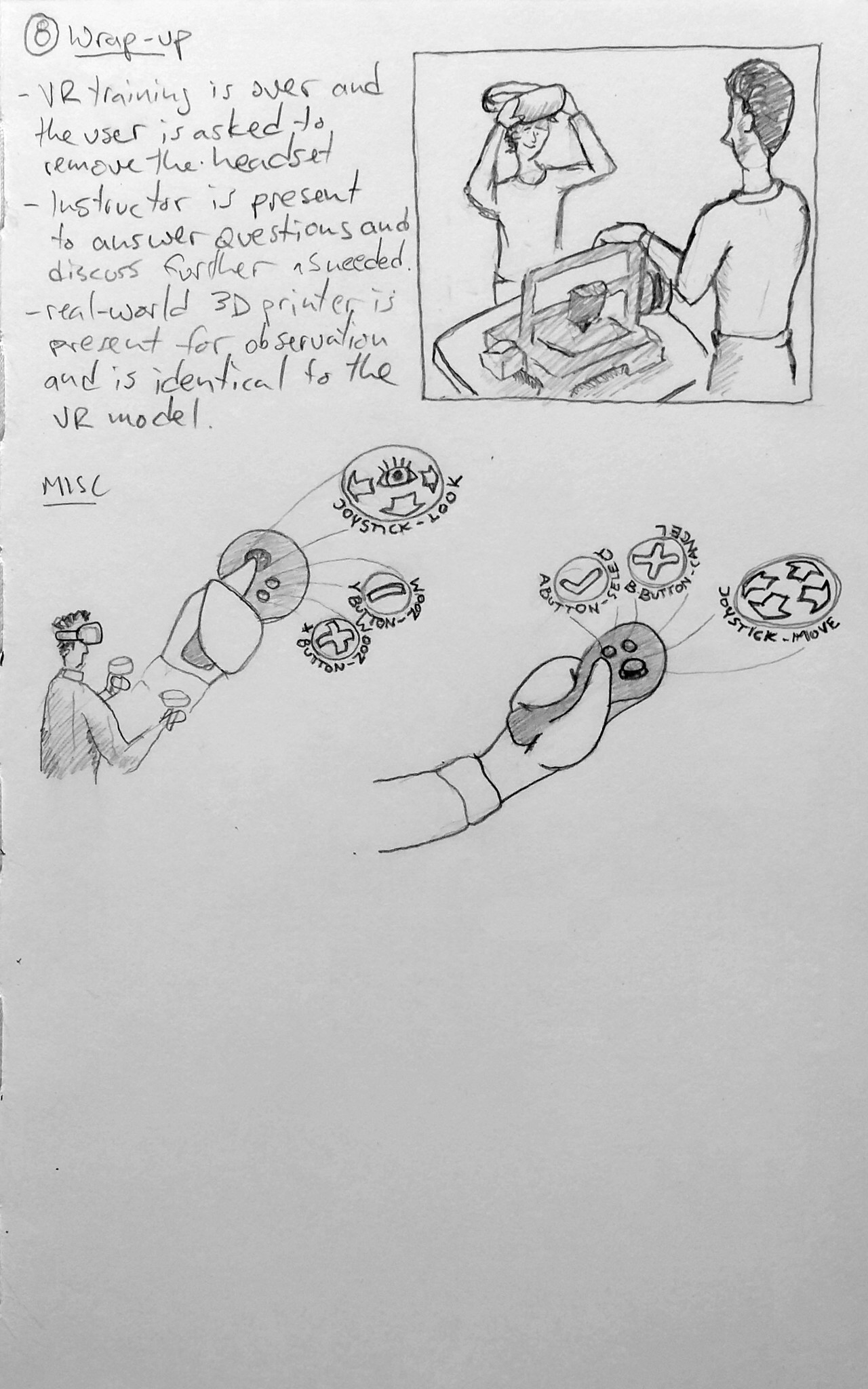
Storyboarding

Storyboarding

Storyboarding

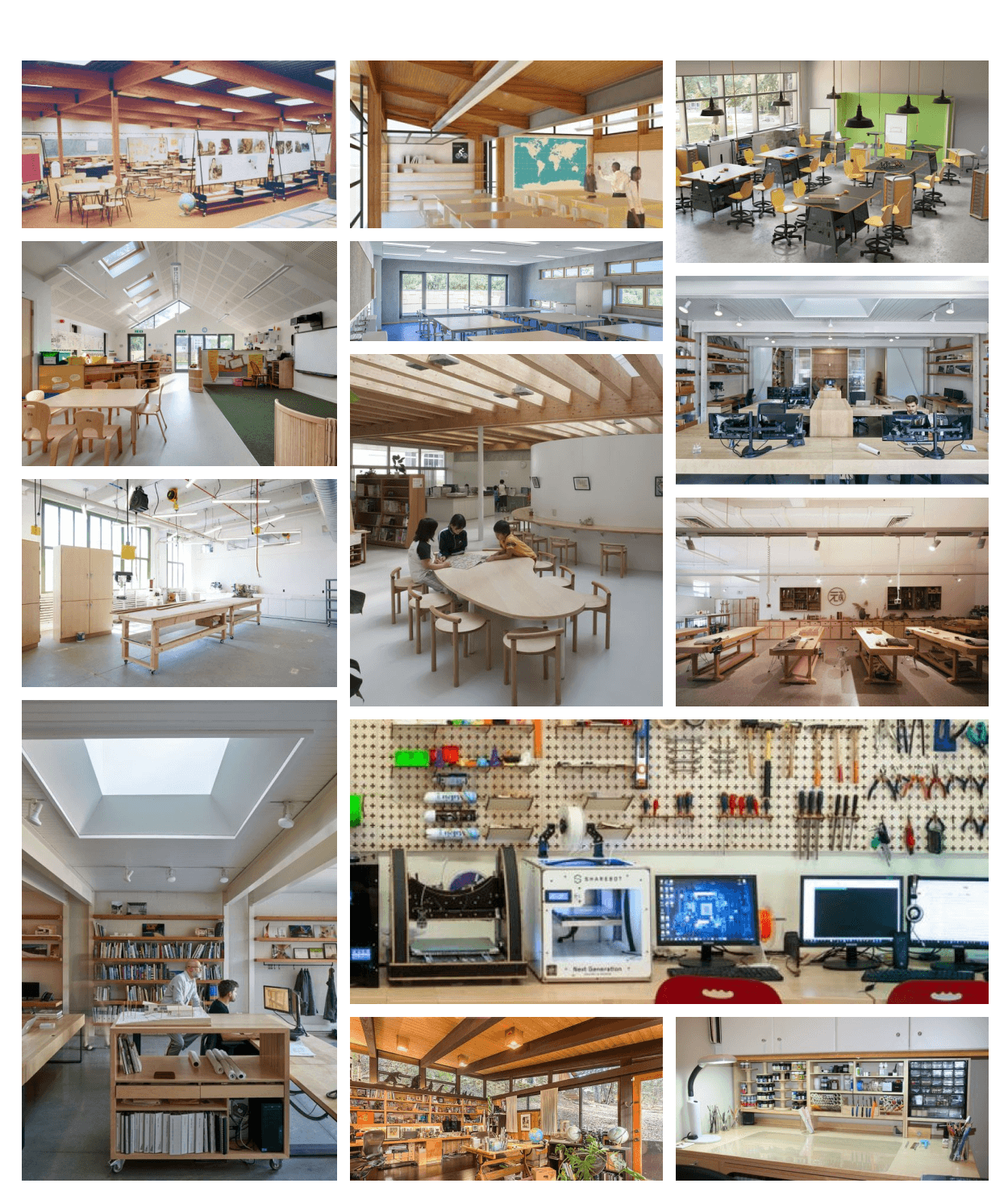
Mood Board

Mood Board

Mood Board

The 3D printing revolution made precision 3D fabrication accessible and viable, so why are we still trying to teach it in two dimensions?

Another benefit is that the customer can create a clearer mental map of their progress as they move along. This is very valuable in instances where the customer is given the ability to save their progress and return at a later date.

The 3D printing revolution made precision 3D fabrication accessible and viable, so why are we still trying to teach it in two dimensions?

Another benefit is that the customer can create a clearer mental map of their progress as they move along. This is very valuable in instances where the customer is given the ability to save their progress and return at a later date.

The 3D printing revolution made precision 3D fabrication accessible and viable, so why are we still trying to teach it in two dimensions?

Another benefit is that the customer can create a clearer mental map of their progress as they move along. This is very valuable in instances where the customer is given the ability to save their progress and return at a later date.

Mockup - Low Fidelity

With lo-fi mockups came the opportunity to start working on the UI and the feel of the product. VR experiences are most effective when mimicking elements in real life, as such I wanted to make the user feel like they are actually in a classroom with an instructor. Then, I went a step further and gave the user a few super-human powers that help them see the 3D printer in detail that is impossible with a naked eye. Keeping in mind the important points gathered from my research I added the following elements; - Auditory narration to describe details and guide the experience. - Concise info panel for summarizing information and providing easy user controls. - Visual presentation in the form of a 3D virtual instructor. - High definition presentation of 3D printer parts provide new levels of detail via: o interactive 360 degree visuals, o exploded views of components, o zooming ability. - Location based learning to help with the spatial contiguity element.
Mockup - Low Fidelity

With lo-fi mockups came the opportunity to start working on the UI and the feel of the product. VR experiences are most effective when mimicking elements in real life, as such I wanted to make the user feel like they are actually in a classroom with an instructor. Then, I went a step further and gave the user a few super-human powers that help them see the 3D printer in detail that is impossible with a naked eye. Keeping in mind the important points gathered from my research I added the following elements; - Auditory narration to describe details and guide the experience. - Concise info panel for summarizing information and providing easy user controls. - Visual presentation in the form of a 3D virtual instructor. - High definition presentation of 3D printer parts provide new levels of detail via: o interactive 360 degree visuals, o exploded views of components, o zooming ability. - Location based learning to help with the spatial contiguity element.
Mockup - Low Fidelity

With lo-fi mockups came the opportunity to start working on the UI and the feel of the product. VR experiences are most effective when mimicking elements in real life, as such I wanted to make the user feel like they are actually in a classroom with an instructor. Then, I went a step further and gave the user a few super-human powers that help them see the 3D printer in detail that is impossible with a naked eye. Keeping in mind the important points gathered from my research I added the following elements; - Auditory narration to describe details and guide the experience. - Concise info panel for summarizing information and providing easy user controls. - Visual presentation in the form of a 3D virtual instructor. - High definition presentation of 3D printer parts provide new levels of detail via: o interactive 360 degree visuals, o exploded views of components, o zooming ability. - Location based learning to help with the spatial contiguity element.
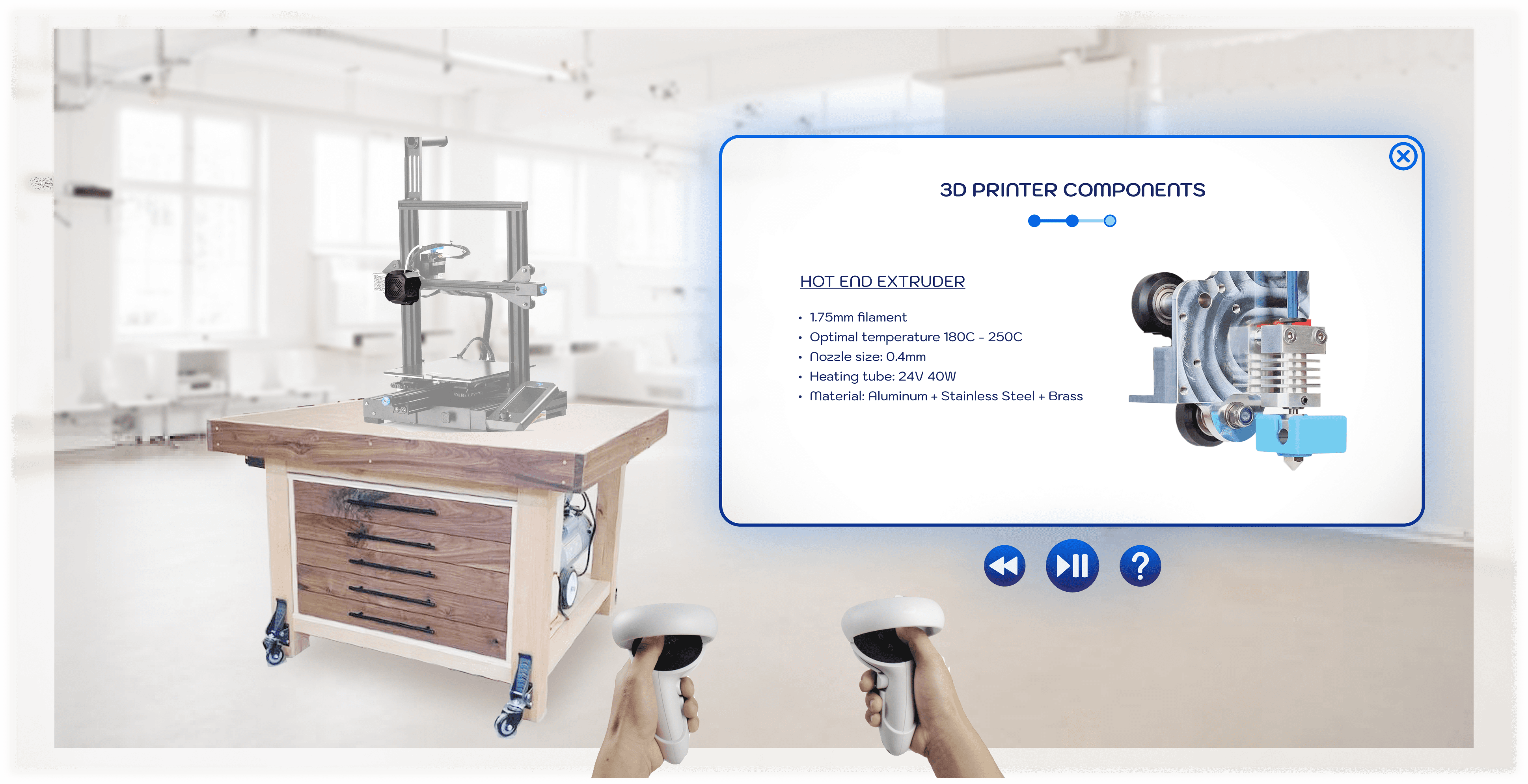
Mockup - "Component view of extruder assembly"

Mockup - "Component view of extruder assembly"

Mockup - "Component view of extruder assembly"

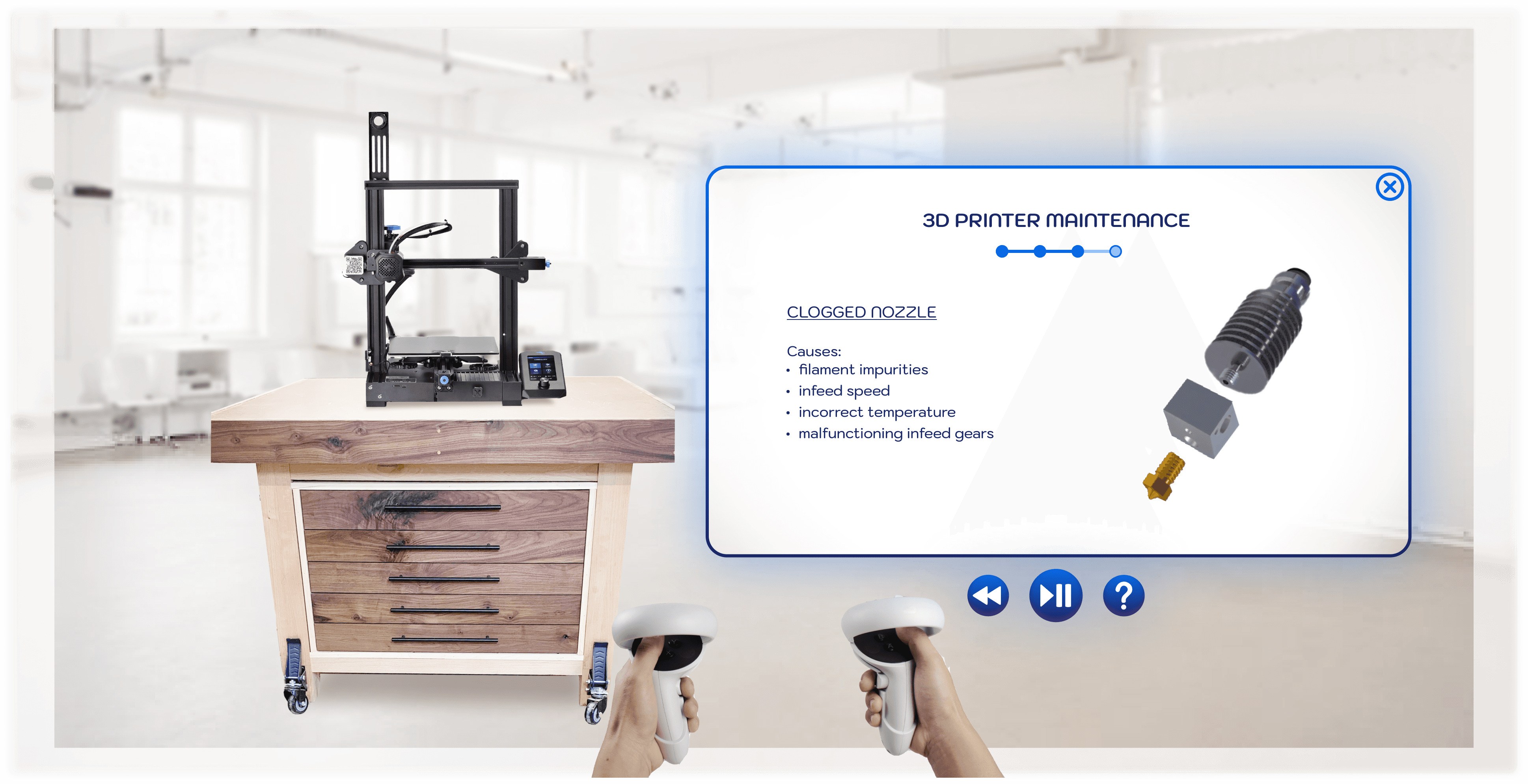
Mockup - "3D printer maintenance"

Mockup - "3D printer maintenance"

Mockup - "3D printer maintenance"

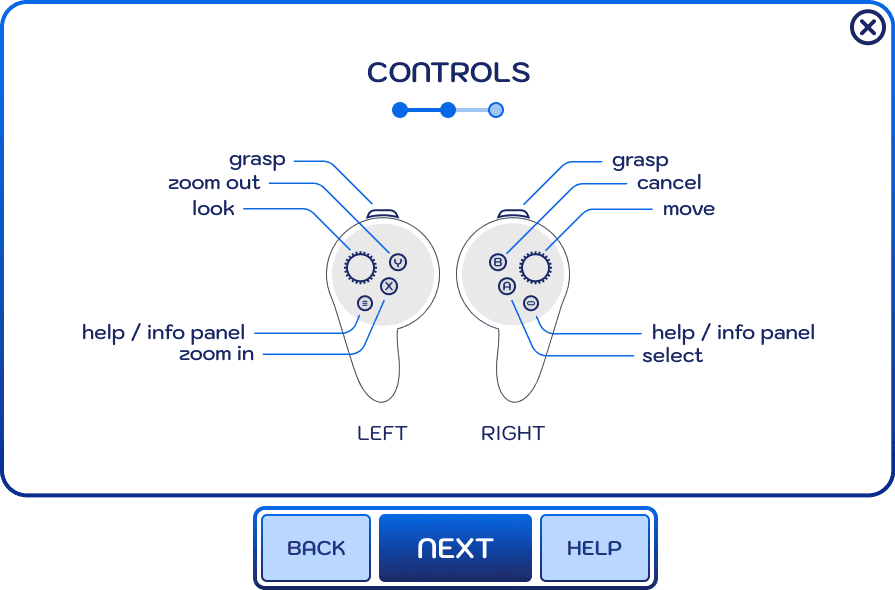
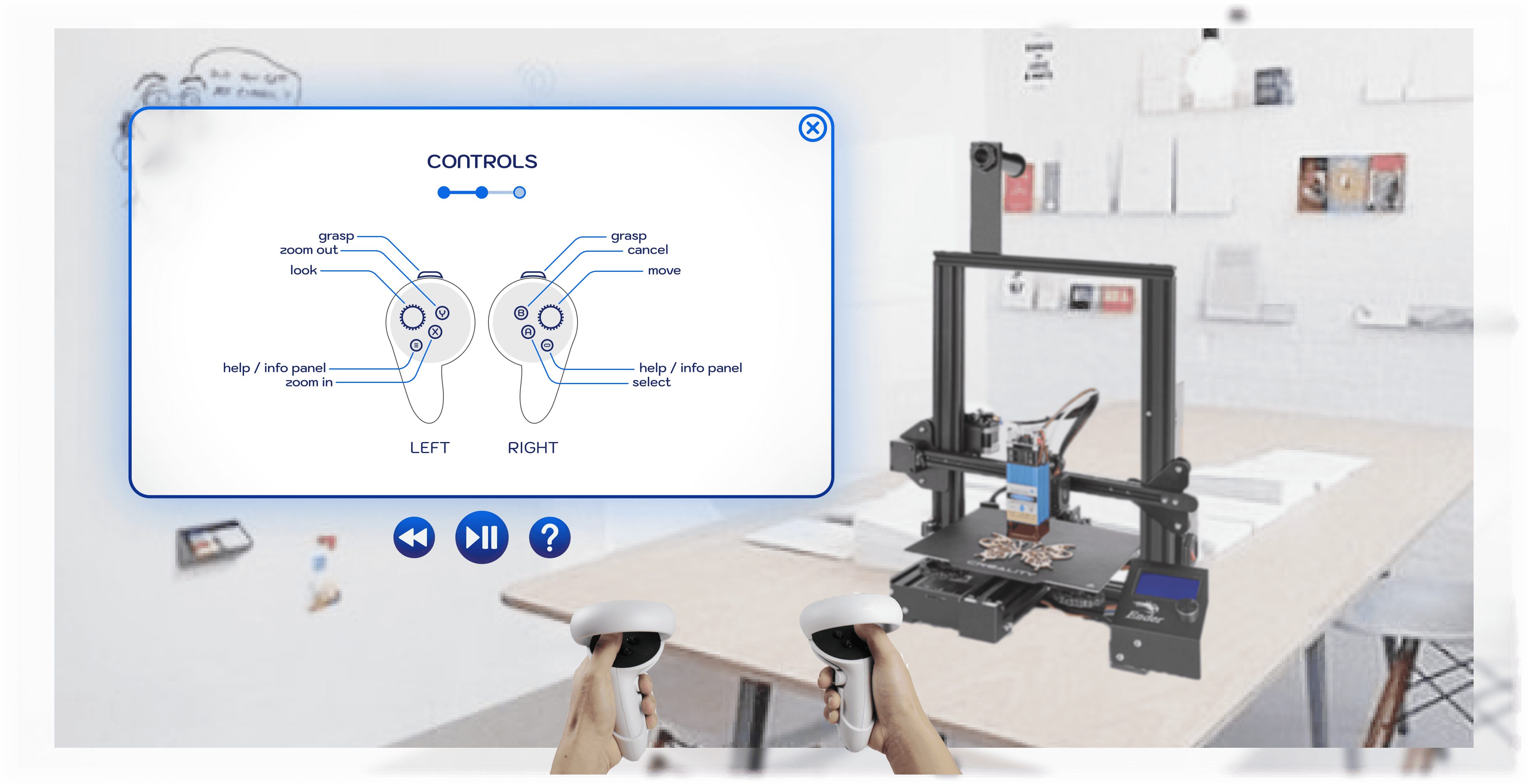
Mockup - "View of controls"

Mockup - "View of controls"

Mockup - "View of controls"

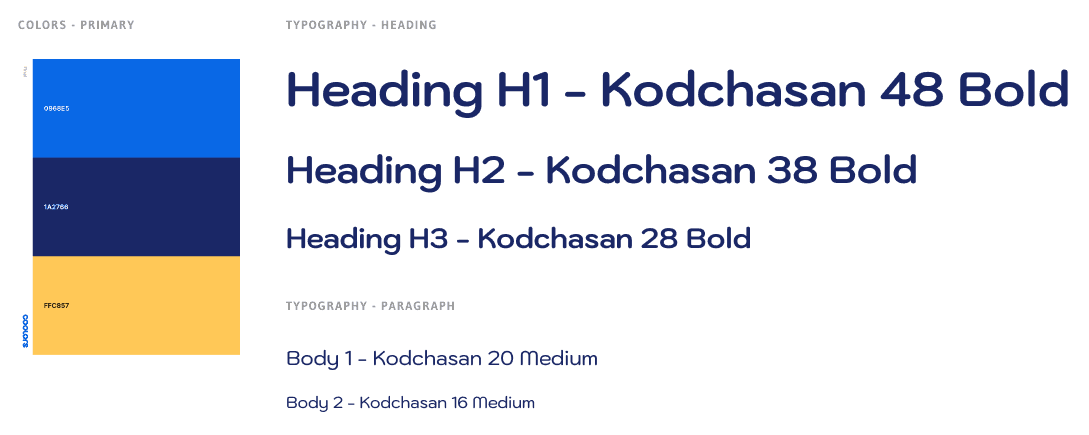
Style Tile

Style Tile

Style Tile

Prototype

Using ShapesXR and Meta’s Quest 2 VR headset I created a lo-fi prototype. Traditional 2D mockups are great at conveying ideas but I needed a 3D prototype to test my theories and get a feel of the virtual environment. Despite the lower resolution and flat lighting the effect was a game changer! VR allows the user to be transported to a new environment, one without distractions and unnecessary stimulus. Here the designer is in full control and this is what gives XR technology such great potential.

There are three ways to view the prototype; - The simplest method is by checking out the slides below and/or playing the embedded video below; o running time about 5 minutes o excuse the laggy video :( • The better method is by trying out the fully interactive prototype through your web browser via this link o it may take a couple of minutes to load o please use controls to move between stages and scenes - Best way hands down is if you have a compatible VR headset and the ShapesXR app and using code: 26DD18RZ

Prototype

Using ShapesXR and Meta’s Quest 2 VR headset I created a lo-fi prototype. Traditional 2D mockups are great at conveying ideas but I needed a 3D prototype to test my theories and get a feel of the virtual environment. Despite the lower resolution and flat lighting the effect was a game changer! VR allows the user to be transported to a new environment, one without distractions and unnecessary stimulus. Here the designer is in full control and this is what gives XR technology such great potential.

There are three ways to view the prototype; - The simplest method is by checking out the slides below and/or playing the embedded video below; o running time about 5 minutes o excuse the laggy video :( • The better method is by trying out the fully interactive prototype through your web browser via this link o it may take a couple of minutes to load o please use controls to move between stages and scenes - Best way hands down is if you have a compatible VR headset and the ShapesXR app and using code: 26DD18RZ

Prototype

Using ShapesXR and Meta’s Quest 2 VR headset I created a lo-fi prototype. Traditional 2D mockups are great at conveying ideas but I needed a 3D prototype to test my theories and get a feel of the virtual environment. Despite the lower resolution and flat lighting the effect was a game changer! VR allows the user to be transported to a new environment, one without distractions and unnecessary stimulus. Here the designer is in full control and this is what gives XR technology such great potential.

There are three ways to view the prototype; - The simplest method is by checking out the slides below and/or playing the embedded video below; o running time about 5 minutes o excuse the laggy video :( • The better method is by trying out the fully interactive prototype through your web browser via this link o it may take a couple of minutes to load o please use controls to move between stages and scenes - Best way hands down is if you have a compatible VR headset and the ShapesXR app and using code: 26DD18RZ

User Testing

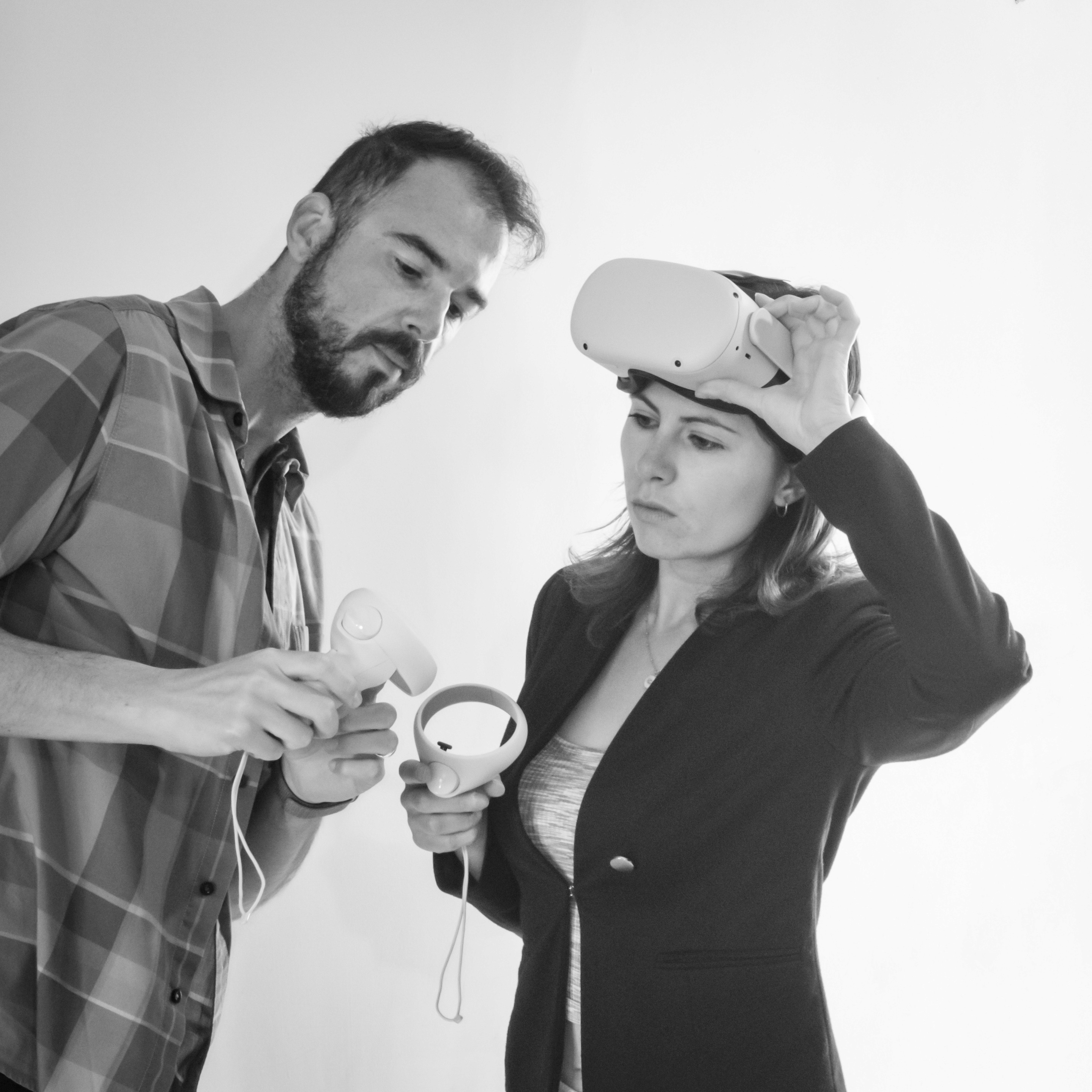
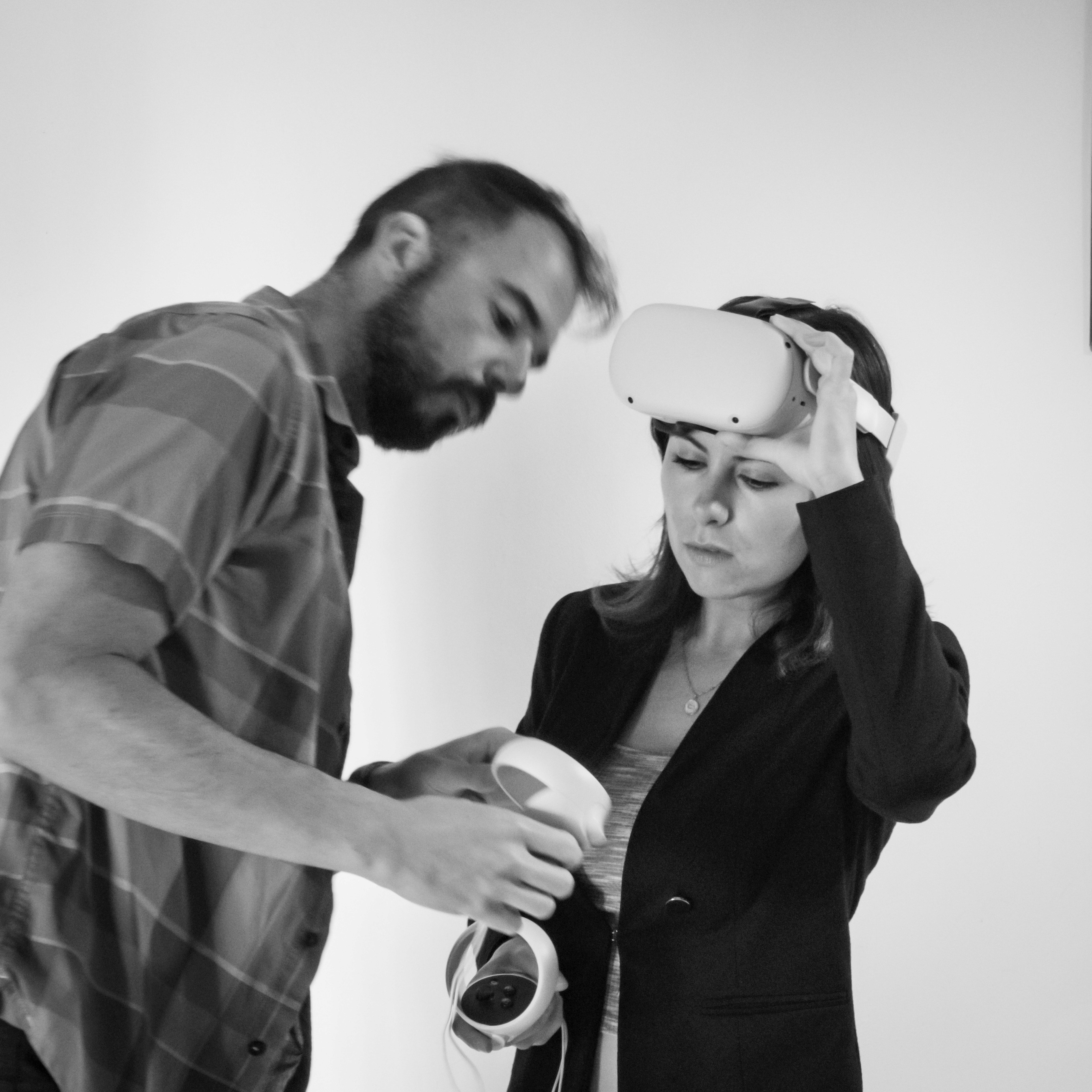
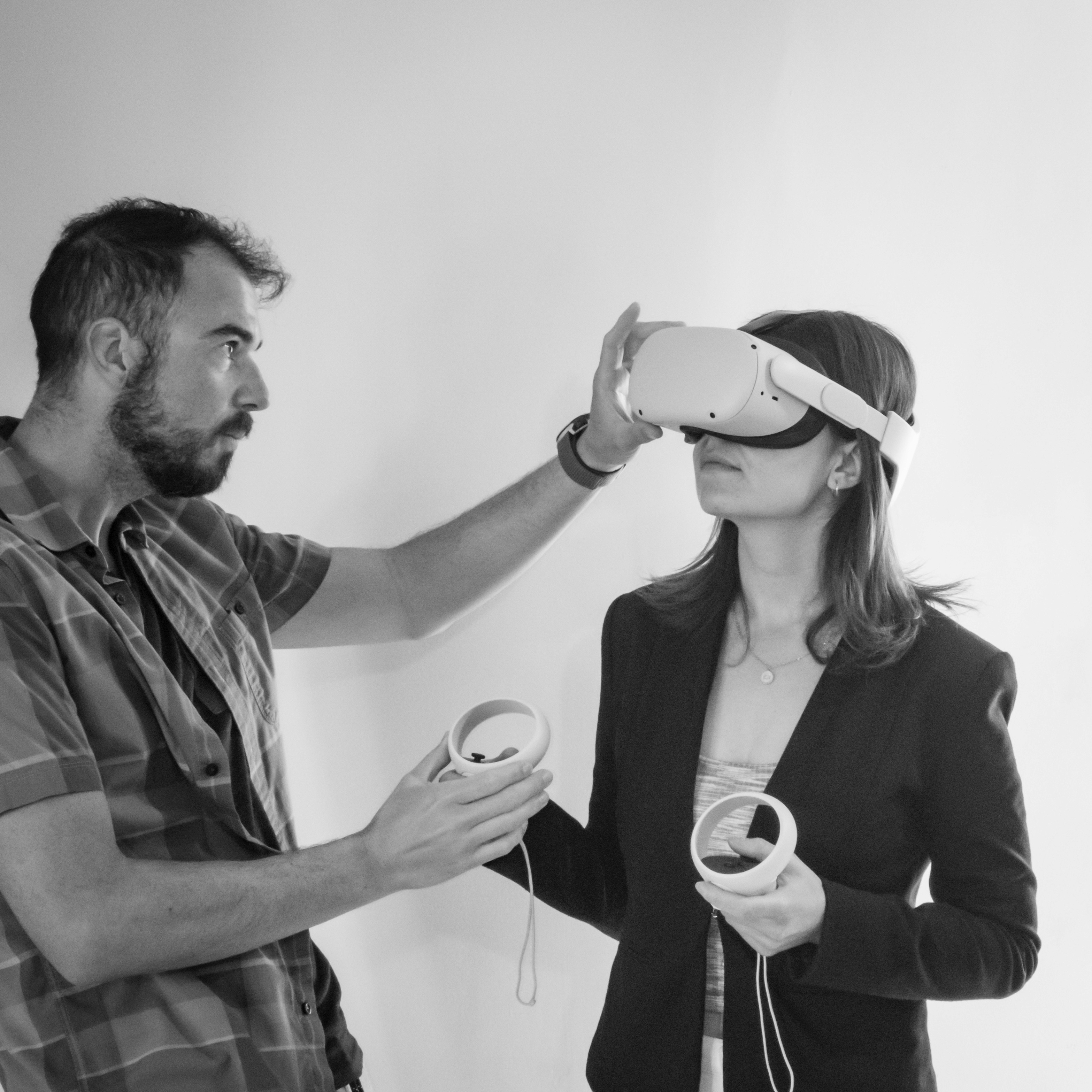
Ideally extensive user testing would be employed at this stage and could yield some important design changes. As this was an exercise I couldn’t draw upon a large organization with all its employees just lining up to test the new prototype. Luckily I did have my Instructional Designer who was happy to be a test subject and explore the new VR prototype.

After multiple rounds of testing I modified the prototype to reflect the following key points; - Modify CTAs to provide clearer instructions to users (i.e., pause/play icon was replaced by the word “Next”, question mark icon replaced by word “Help”, etc.). - Provide more descriptive annotations to let the user know what is happening during some of the animations; this was more a result due to prototype’s limitations. - Enlarge/shift 3D models for easier viewing by the user. - Improve positive reinforcement of training completion via adornment.

User Testing

Ideally extensive user testing would be employed at this stage and could yield some important design changes. As this was an exercise I couldn’t draw upon a large organization with all its employees just lining up to test the new prototype. Luckily I did have my Instructional Designer who was happy to be a test subject and explore the new VR prototype.

After multiple rounds of testing I modified the prototype to reflect the following key points; - Modify CTAs to provide clearer instructions to users (i.e., pause/play icon was replaced by the word “Next”, question mark icon replaced by word “Help”, etc.). - Provide more descriptive annotations to let the user know what is happening during some of the animations; this was more a result due to prototype’s limitations. - Enlarge/shift 3D models for easier viewing by the user. - Improve positive reinforcement of training completion via adornment.

User Testing

Ideally extensive user testing would be employed at this stage and could yield some important design changes. As this was an exercise I couldn’t draw upon a large organization with all its employees just lining up to test the new prototype. Luckily I did have my Instructional Designer who was happy to be a test subject and explore the new VR prototype.

After multiple rounds of testing I modified the prototype to reflect the following key points; - Modify CTAs to provide clearer instructions to users (i.e., pause/play icon was replaced by the word “Next”, question mark icon replaced by word “Help”, etc.). - Provide more descriptive annotations to let the user know what is happening during some of the animations; this was more a result due to prototype’s limitations. - Enlarge/shift 3D models for easier viewing by the user. - Improve positive reinforcement of training completion via adornment.

Mockup - High Fidelity

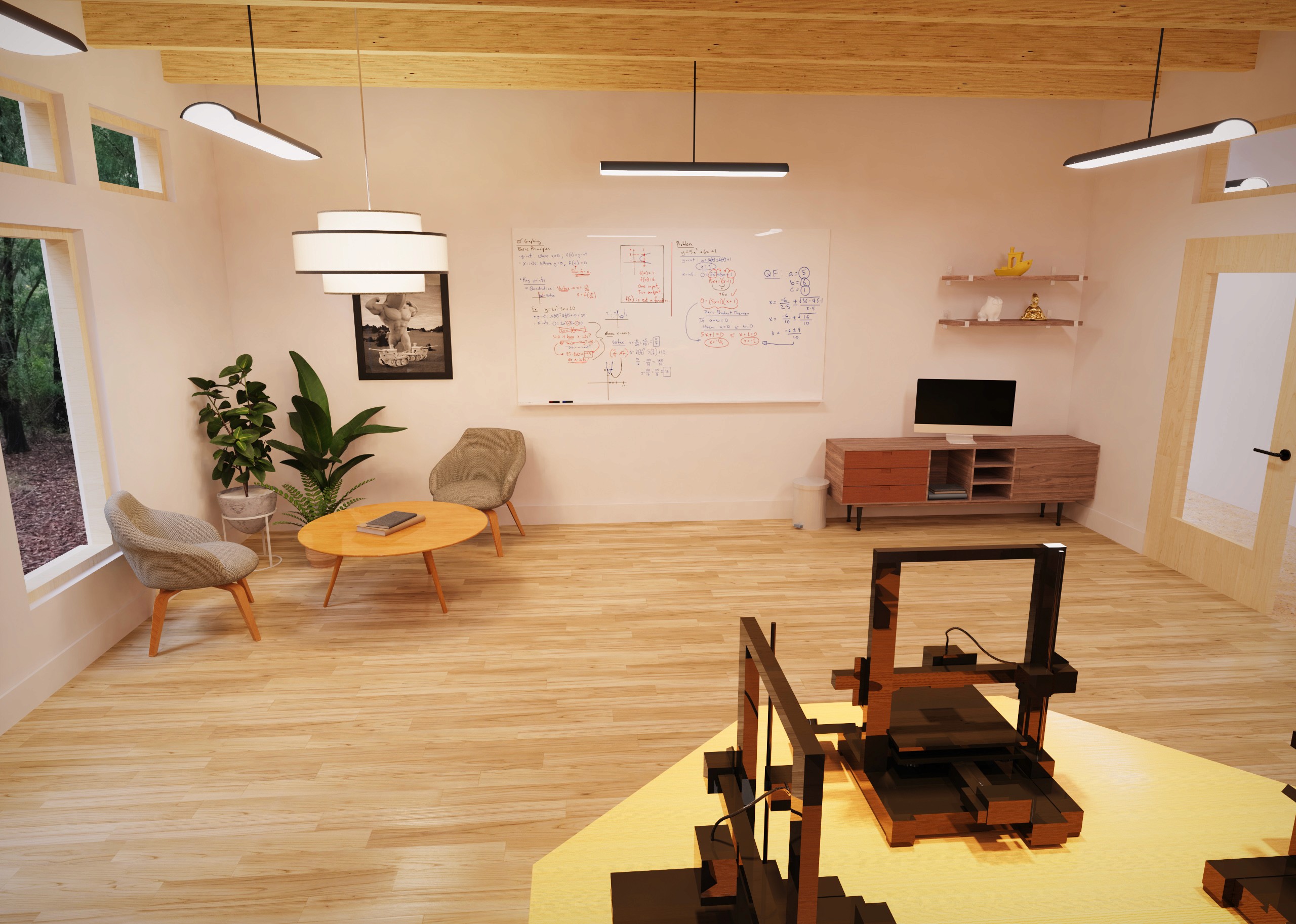
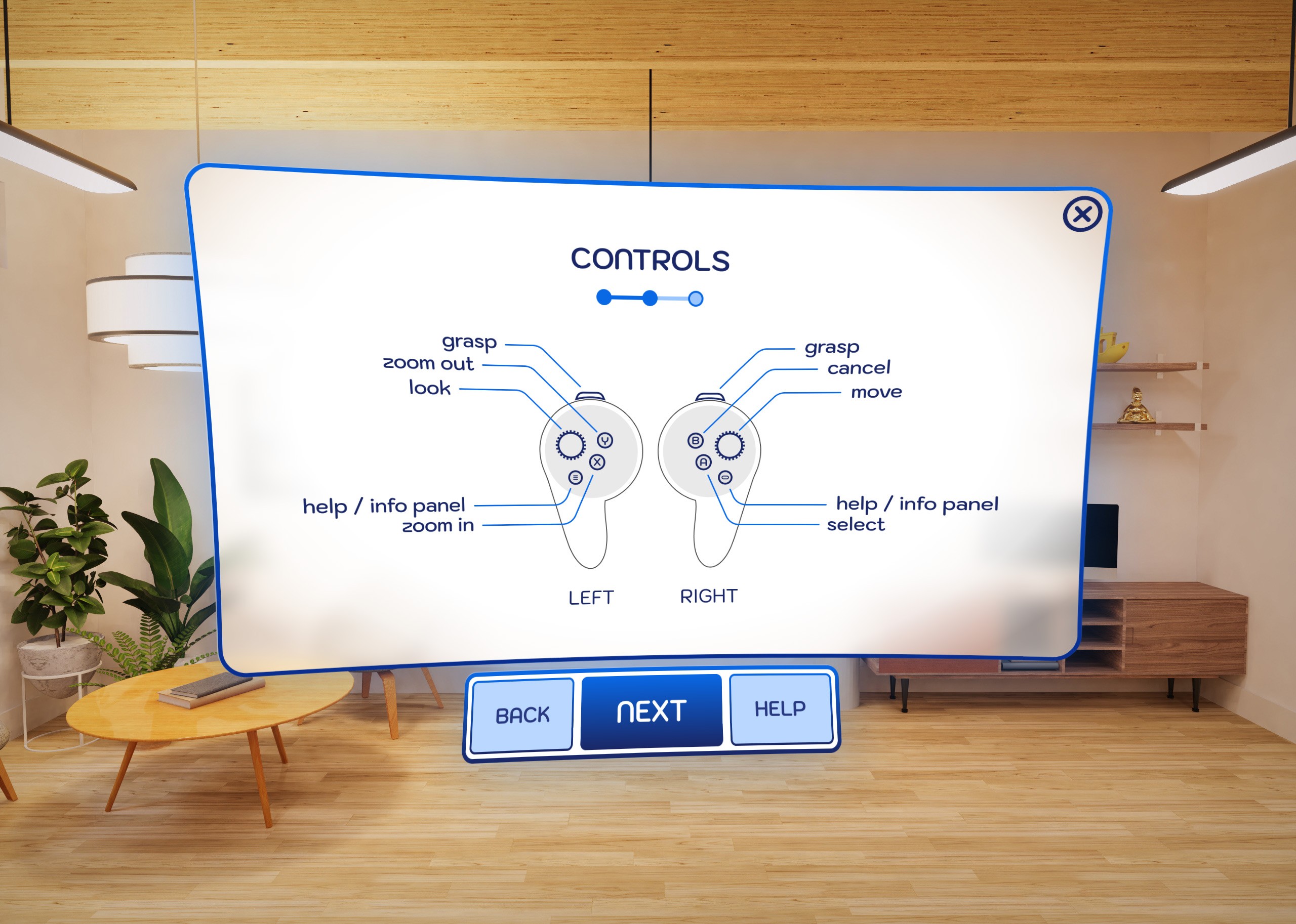
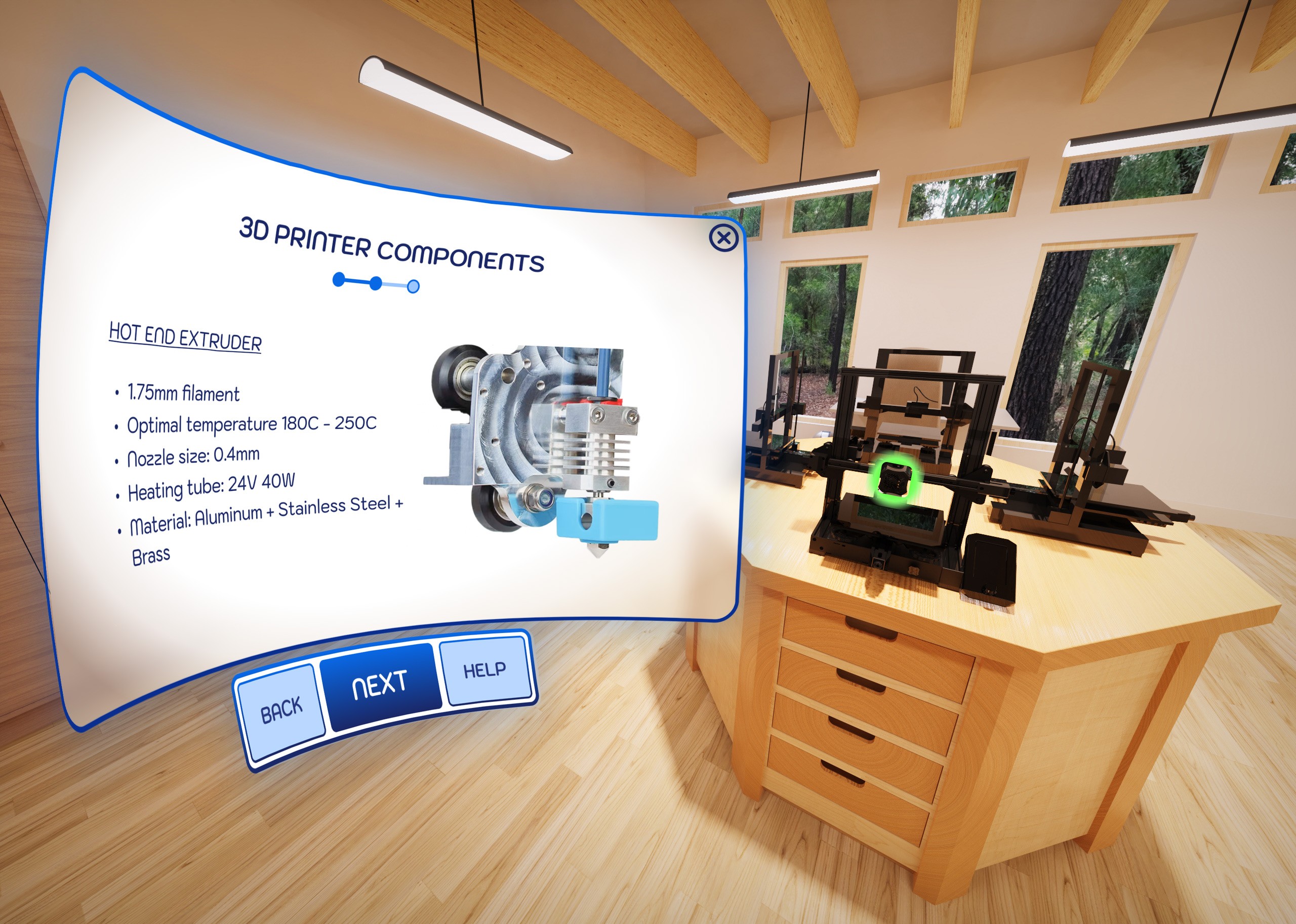
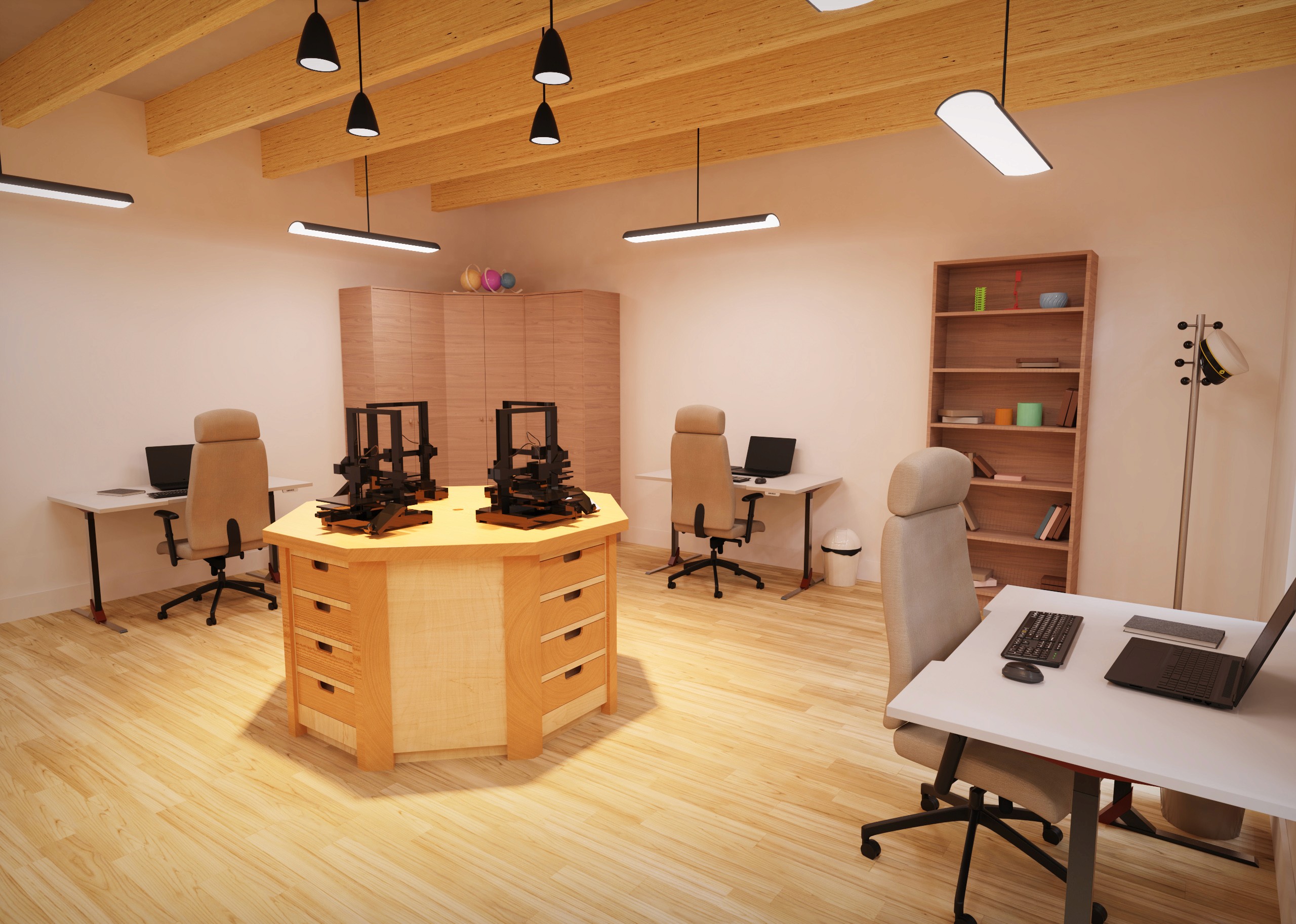
Ultimately the finished product would resemble the renderings below. A powerful tool to transport and transform any user willing to dip their toes into the world of VR.

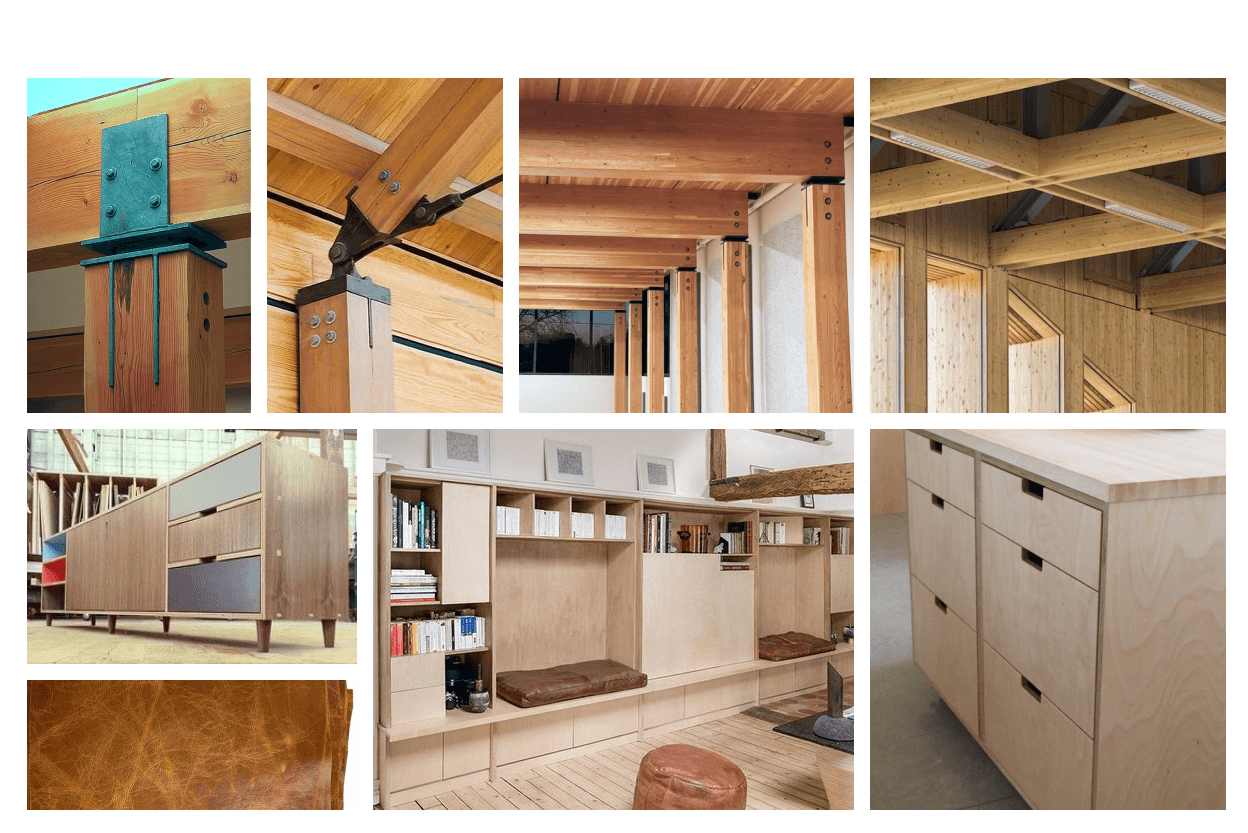
The following renders are a result of mood board inspirations, but more importantly, they follow some key design elements that contribute to a positive learning environment. It was a careful combination of realism and minimalism. I wanted a modern classroom that was bright and airy but not distracting as these types of spaces tend to be. Overlaid with silky smooth UI panels in the style of glassmorphism, I created a distraction-free medium that is ready to engage with our users.

Mockup - High Fidelity

Ultimately the finished product would resemble the renderings below. A powerful tool to transport and transform any user willing to dip their toes into the world of VR.

The following renders are a result of mood board inspirations, but more importantly, they follow some key design elements that contribute to a positive learning environment. It was a careful combination of realism and minimalism. I wanted a modern classroom that was bright and airy but not distracting as these types of spaces tend to be. Overlaid with silky smooth UI panels in the style of glassmorphism, I created a distraction-free medium that is ready to engage with our users.

Mockup - High Fidelity

Ultimately the finished product would resemble the renderings below. A powerful tool to transport and transform any user willing to dip their toes into the world of VR.

The following renders are a result of mood board inspirations, but more importantly, they follow some key design elements that contribute to a positive learning environment. It was a careful combination of realism and minimalism. I wanted a modern classroom that was bright and airy but not distracting as these types of spaces tend to be. Overlaid with silky smooth UI panels in the style of glassmorphism, I created a distraction-free medium that is ready to engage with our users.

Final Thoughts

Both 3D printing and extended reality industries are changing the way we create and experience the world around us. It is necessary that we embrace new technologies and pedagogies that bring about more effective teaching tools. Designing User Experiences for virtual environments is a challenging endeavor. However it has so too many benefits over traditional methods that we shouldn’t ignore. I found this exercise very engrossing and fulfilling. It helped focus my senses for human centred design and broaden my abilities as a UX/XR designer. Building 3D models and environments from scratch and creating fully testable prototypes was a blast! Thanks for making it all the way to the end! I’d love to discuss this project in more detail so don’t hesitate to reach out.

Final Thoughts

Both 3D printing and extended reality industries are changing the way we create and experience the world around us. It is necessary that we embrace new technologies and pedagogies that bring about more effective teaching tools. Designing User Experiences for virtual environments is a challenging endeavor. However it has so too many benefits over traditional methods that we shouldn’t ignore. I found this exercise very engrossing and fulfilling. It helped focus my senses for human centred design and broaden my abilities as a UX/XR designer. Building 3D models and environments from scratch and creating fully testable prototypes was a blast! Thanks for making it all the way to the end! I’d love to discuss this project in more detail so don’t hesitate to reach out.

Final Thoughts

Both 3D printing and extended reality industries are changing the way we create and experience the world around us. It is necessary that we embrace new technologies and pedagogies that bring about more effective teaching tools. Designing User Experiences for virtual environments is a challenging endeavor. However it has so too many benefits over traditional methods that we shouldn’t ignore. I found this exercise very engrossing and fulfilling. It helped focus my senses for human centred design and broaden my abilities as a UX/XR designer. Building 3D models and environments from scratch and creating fully testable prototypes was a blast! Thanks for making it all the way to the end! I’d love to discuss this project in more detail so don’t hesitate to reach out.

Ready to build solutions with intention?

If you’re seeking a Product Designer who unites research and design to build business-ready, user-centered solutions, let’s chat!

© 2025 All right reserved

This Framer site created by

Ready to build solutions with intention?

If you’re seeking a Product Designer who unites research and design to build business-ready, user-centered solutions, let’s chat!

© 2025 All right reserved

This Framer site created by

Ready to build solutions with intention?

If you’re seeking a Product Designer who unites research and design to build business-ready, user-centered solutions, let’s chat!

© 2025 All right reserved

This Framer site created by